YouTube MusicSPRKBETA v1.0
Download for Windows
SPRK EDITION • BETA v1.0 PREVIEW

The Next-Gen Experience
YouTube Music by SPRK

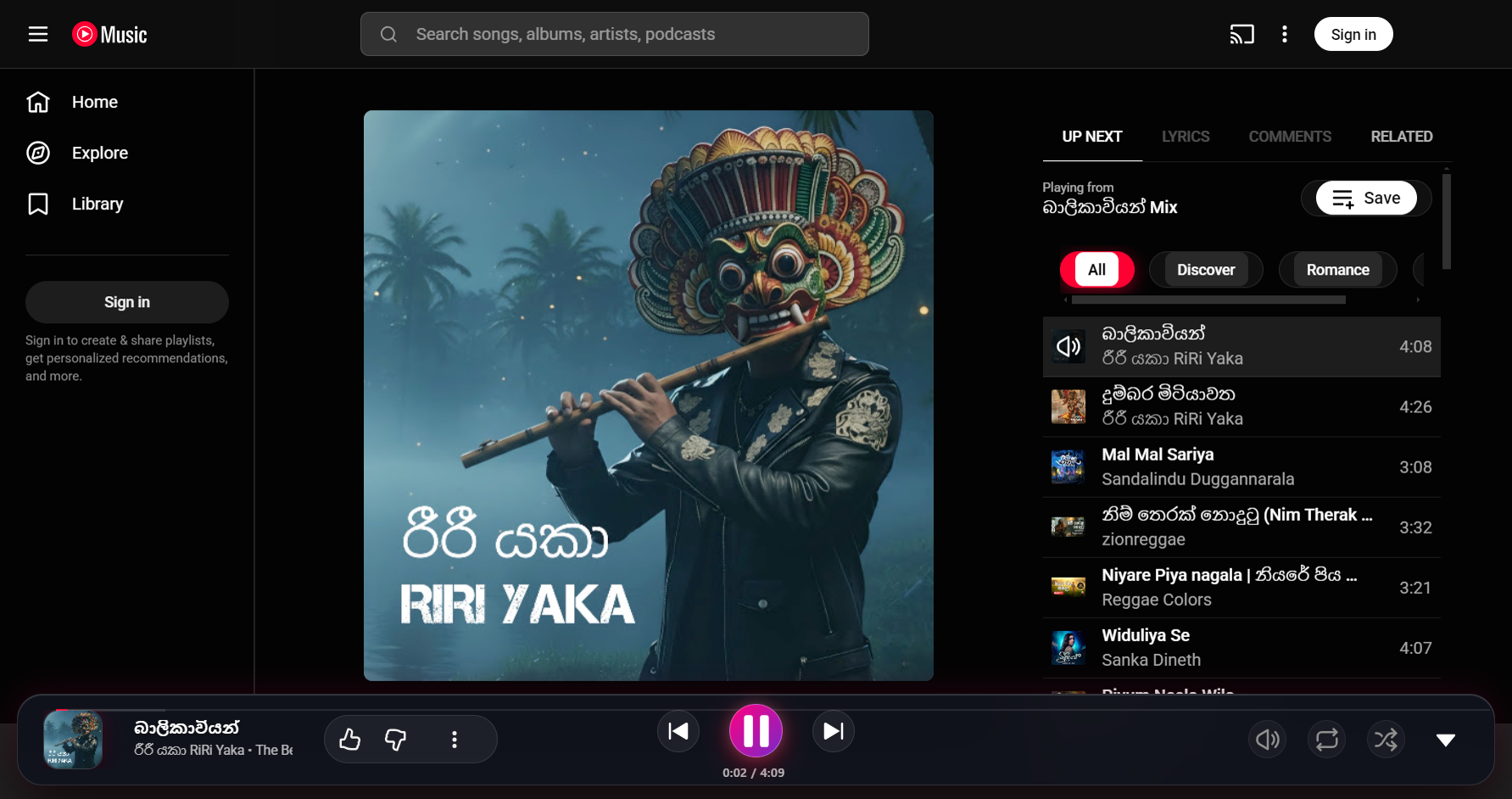
An ultra-premium Windows desktop client designed for audiophiles and gamers. Featuring live Discord Rich Presence, synchronized karaoke lyrics, frosted glass aesthetics, and distraction-free fullscreen video.
Download InstallerSetup 1.0.0 • 77 MB • Windows 10/11
Portable VersionSingle .exe • 70 MB • No Install
Try Web Demo
Discord Rich Presence
Live Synced Lyrics
Obsidian Frosted Glass UI
Ad-free Webview Sandbox
YouTube Music by SPRK (Beta v1.0)
LIVE PREVIEW
YouTube Music by SPRK Desktop UI Preview
REAL-TIME INTEGRATION

Broadcast Your Vibe with Discord RPC

When you play songs on YouTube Music by SPRK, your Discord profile automatically updates with live song titles, artist names, album art, and an elapsed time scrubber. Try it below!

Interactive RPC Simulator

Select a preset track or type your own song. Watch your Discord card on the right update in real-time!

SPRK Avatar
SPRKAPP
sprk.dev • Listening to Music
PLAYING A GAMELIVE
Blinding Lights
YouTube Music
Blinding Lights
by The Weeknd
on After Hours
0:483:20
POWERFUL ENHANCEMENTS

Built for Pure Musical Immersion

Everything you love about YouTube Music, elevated with desktop-grade superpower features you won’t find in an ordinary browser tab.

AUTOMATIC

Discord Rich Presence

Broadcast your current music vibe to your Discord profile in real time, featuring high-res album covers, song titles, elapsed timers, and direct YouTube Music action buttons.

KARAOKE READY

Live Synchronized Lyrics

Follow every beat with fluid, karaoke-styled live scrolling lyrics. Enjoy songs in both embedded and floating transparent window views.

PIXEL PERFECT

Cinematic Fullscreen Video

Watch 4K and 1080p music videos with centered 16:9 geometry, neatly aligned bottom controls, and zero annoying border cutoffs.

SPRK EXCLUSIVE

Obsidian Glassmorphic UI

Crafted with frosted translucent glass, ambient crimson backlights, custom pill chips, and the exclusive YouTube Music by SPRK (Beta) hero branding.

OPTIMIZED

Native Windows Shortcuts

Full keyboard multimedia key support (Play/Pause, Prev, Next), system tray integration with custom thumbnail toolbar, and background playback.

STANDALONE

Installer & Portable Editions

Share with friends effortlessly. Choose between a full Windows setup installer with desktop shortcuts or a zero-install single portable executable.

BROWSER AUDIO DEMO

Experience the Floating Glass Player

Test our fluid playback controls, animated audio visualizer, and synchronized lyrics preview directly in your browser.

Neon Nights (Cyber Synth)

Neon Nights (Cyber Synth)

SPRK Audio LabFuturistic Vibe Vol. 1
LIVE SYNCHRONIZED LYRICS
SPRK Engine
♪ [Intense electronic synth arpeggio] ♪
0:003:00
DIRECT WINDOWS DOWNLOADS

Get YouTube Music by SPRK

Choose the edition that best suits your setup. Both versions include all custom features, Discord RPC, and live lyrics out of the box.

RECOMMENDED

Windows Setup Installer

v1.0.0 • 77.19 MB • NSIS Wizard

The full installation package. Creates an official Desktop icon and Start Menu entry, and registers the app in Windows Settings with a clean uninstaller.

  • Desktop shortcut & Windows search integration
  • Discord Rich Presence auto-discovery
  • Includes complete uninstaller
Download Setup (.exe)

Portable Standalone

v1.0.0 • 69.78 MB • Zero Installation

Perfect for quick usage or sharing via USB stick. Double-click to launch directly from any folder without modifying your Windows registry.

  • Runs directly from any folder or flash drive
  • No administrator privileges needed
  • Instant deletion when finished
Download Portable (.exe)
First Time Installing? (Windows SmartScreen Notice)
Because this is a brand new custom release, Edge or Windows may display: "Isn't commonly downloaded".
• In Browser: Click "..." (options) → "Keep""Keep anyway".
• In Windows: Click "More info""Run anyway".
The application runs in a secure isolated sandbox with zero telemetry.
Want to send this to a friend?
Copy the share link or send either `.exe` file directly via Google Drive, Discord, or WeTransfer!